Windows 10 support has ended: what end of support actually means for a small business
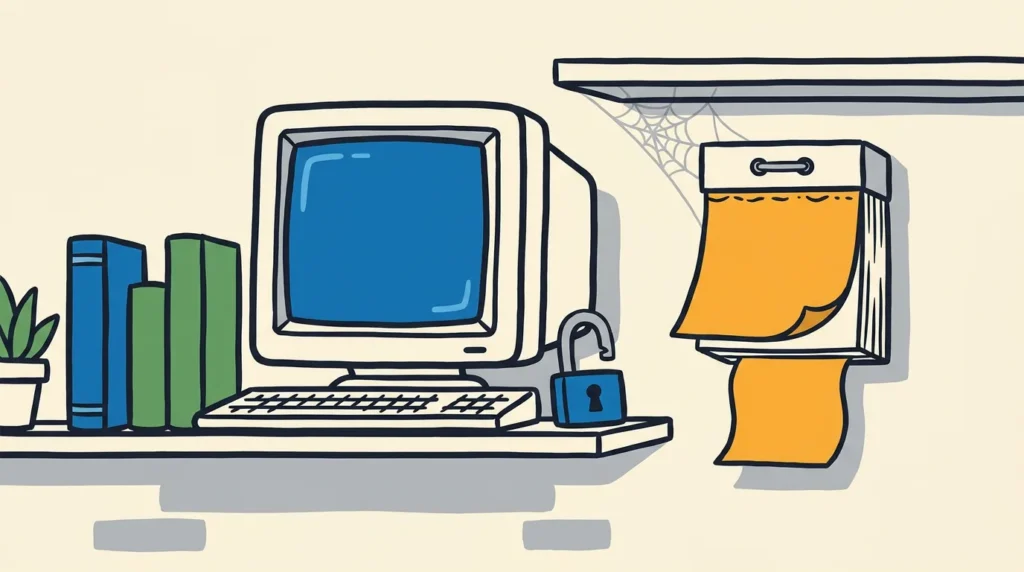
If a small business runs even one computer on Windows 10, a quiet deadline has now passed. As of 14 October 2025, Microsoft has ended support for Windows 10. The machines still switch on and still do the work, which is exactly what makes the change easy to miss. Nothing breaks on the day. What changes is invisible: the software stops being looked after, and the gap between a safe machine and an exposed one starts to widen on its own.
What “end of support” actually means
End of support is one of those phrases that sounds more dramatic than the day it lands, and then turns out to matter more than it looked. Microsoft is plain about what it covers. After 14 October 2025, Windows 10 devices no longer receive technical support, software updates, or security updates and fixes 1. The operating system carries on running. It simply stops being maintained.
The part that does the damage is the security updates. A security update is a fix for a flaw that attackers can use to get into a machine. The NCSC, the UK’s national cyber security authority, puts the reason for patching simply: patches matter because they fix known flaws in products that attackers can use to compromise devices 3. When a product reaches end of support, those fixes stop arriving, but the flaws found from that point on do not stop being discovered. Each new one stays open.
So the risk of an unsupported machine is not a sudden failure. It is a slow drift. A device that was current in September becomes a little more exposed every month that passes, as new weaknesses are found and never patched. The NCSC’s standing advice for software that has reached this stage is direct: replace unsupported software and devices as soon as you are able 3.
The options Microsoft actually offers
For a small business still on Windows 10, there are three honest paths, and it is worth knowing them before a supplier frames the choice.
The first is to move the device to Windows 11, where the hardware allows it. Many machines from the last few years qualify, and the upgrade is the clean answer because it puts the device back inside the support window.
The second is to replace machines that cannot make the jump. Some older hardware does not meet Windows 11’s requirements, and for those the realistic plan is replacement on a sensible timescale rather than all at once.
The third is to buy time. Microsoft offers a paid Extended Security Updates programme that keeps critical security fixes coming for Windows 10 after the cut-off. It is deliberately a stopgap, and the pricing says so: for organisations it starts at a per-device fee for the first year and doubles each subsequent year, for up to three years 2. (The published figures are in US dollars, so treat the structure rather than the exact amount as the point.) The doubling is the message. It is designed to make staying on the old system progressively more expensive than moving off it, which is a fair reflection of the rising real cost of running something unsupported.
What this means for a small business
Here is the straight read, without the alarm. Nobody needs to do anything before close of business today, and a single Windows 10 laptop in the corner is not a crisis on its own. The honest framing is that this is now a managed expense, not an emergency: a known end-of-life date that wants a plan, not a panic.
The reason it is worth a moment of attention is that this kind of thing rarely gets noticed until something goes wrong, and by then the cheap window has closed. Around four in ten UK businesses report a cyber breach or attack in a year, and the most common kind by far is mundane: phishing, the everyday email that tricks someone, not an exotic attack 5. An unsupported machine does not cause that, but it removes one of the simplest defences against it, because the known holes never get filled. The good news in the same survey is that the basics are already mainstream among UK businesses, with most keeping malware protection updated and most running cloud backups 5. Keeping the operating system supported is the same kind of basic, just one with a date attached.
What the date really asks for is an inventory. Knowing which machines run Windows 10, which can move to Windows 11, and which need replacing turns an open-ended worry into a short, costed list. The NCSC’s Small Business Guide makes the same point in plainer terms, describing keeping software up to date as one of the most important things a business can do, the IT equivalent of eating fruit and veg 4. Dull, and exactly the sort of thing that quietly pays for itself.
Worth knowing, worth a plan
This is the unglamorous side of owning software: things that worked perfectly yesterday need feeding, and one day they stop being fed whether or not anyone was watching the calendar. Windows 10 is just the visible example this year. The same pattern applies to every platform a business depends on, which is why someone needs to be tracking when each one reaches the end of its supported life and what comes next.
That tracking is most of what keeping software running really is. hirevolution looks after that side of things for the businesses it works with, so an end-of-support date is a planned, costed step rather than the surprise it tends to be.
Sources
- Microsoft, ‘Windows 10 support has ended on October 14, 2025’ (official support). [link]
- Microsoft Learn, ‘Extended Security Updates (ESU) program for Windows 10’. [link]
- NCSC Device Security Guidance, ‘Keeping devices and software up to date’. [link]
- NCSC Small Business Guide (October 2020). [link]
- UK Cyber Security Breaches Survey 2025 (DSIT / Home Office official statistics). [link]